No code? No problem: Exposing custom fields in data entities (Part 2)

In a previous blog, we shared some insights on how you can create custom fields via the user interface without having to be a developer or writing code. It’s a great hack when you want to save time when creating simple new fields for informational purposes.
The question that always follows this is: “Will the field be available for import?”
The answer is—yes, there is an available feature for that!
Today, we’ll share how you can expose these personalized custom fields in a D365 Finance & SCM data entity with just a few clicks—and with no code! With the right configuration, you’ll be good to go.
Exposing custom fields in data entities
Under System administration, go to Setup > Custom fields. You can view all the custom fields created across modules in this path. Here, you can also edit some fields if needed.
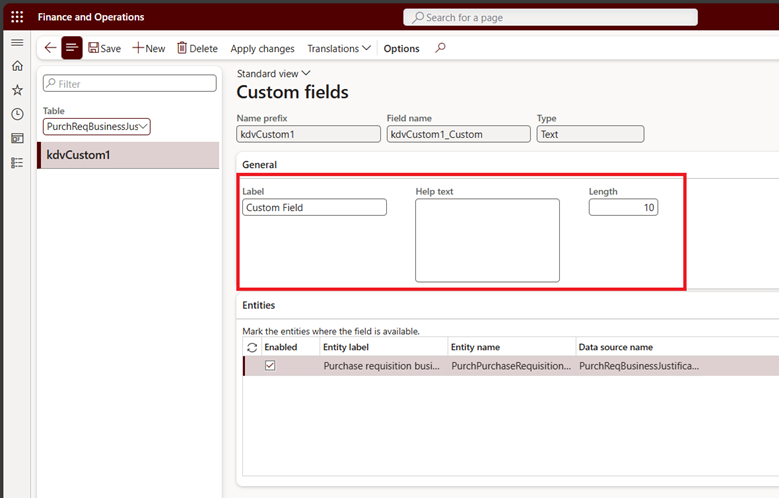
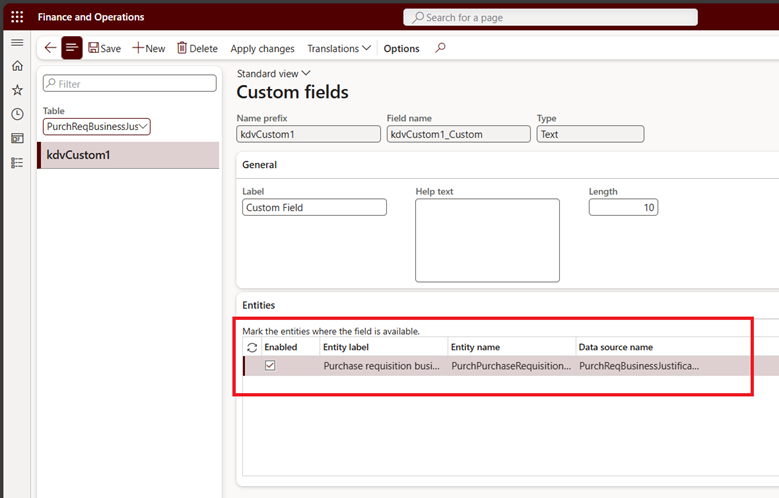
If we want to expose the field in the data entity so that we can use the field later for Data management activities, there is an Entities fast tab in the Custom fields page where we can enable it. Mark the Enabled field checkbox and click Save.
Once done, we can check out the Data entity and see if the custom field is available.
- Go to System administration > Workspaces > Data management.
- In the Import/Export section, click the Data entities tile.
- Look for your entity in the grid/list view and click Modify target mapping in the action pane.

- Check if your custom field is displayed in the grid/list view. If not, click Generate mapping.
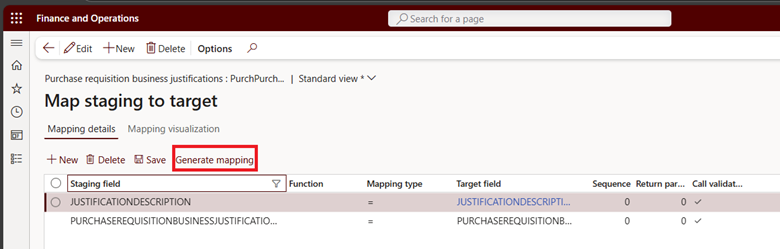
- This prompt will be displayed. Click Yes.

- Once the system has completed regeneration of the mapping, your custom field should be displayed and available in the data entity.
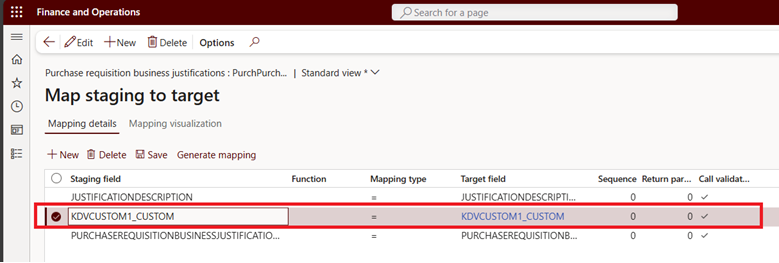
And that’s it! It is now available for use. If your data entity is sitting in some import and export projects, make sure to remove and add the entity to refresh the fields available for your data management activities.
It’s a cool feature that can certainly help you with manipulating data for your custom fields. Keep in mind that there will always be certain limitations to it—it just needs to be explored. At the end of the day, this custom fields configuration is a valuable tool that can be considered whenever you need new fields for managing information.
Until the next!
Want to know more? Talk to us and send us a message at cdsi.admin@cdynamix.net.
Solutions that solve
We optimize business applications and provide effective software solutions.