Fields explained: What are they really for?
Field descriptions in D365 Finance & Supply Chain Management

Ever wondered what the fields in a page in D365 Finance & Supply Chain Management are for?
When I explored the system for the first time, I remember feeling overwhelmed with how many fields there were and was always wondering how long it will take for me to figure out what each field was for.
Oftentimes, we open our browser and type in keywords in the search bar to find the purpose of each field—and while this remains true and will probably continue to be a norm, did you know that the system has a feature where you can easily look for the description of the field and what it’s for?
In D365 Finance and Supply Chain Management, you might notice that when your cursor hovers over a field, some have help texts or descriptions that can help users identify what a field is or what it’s used for.
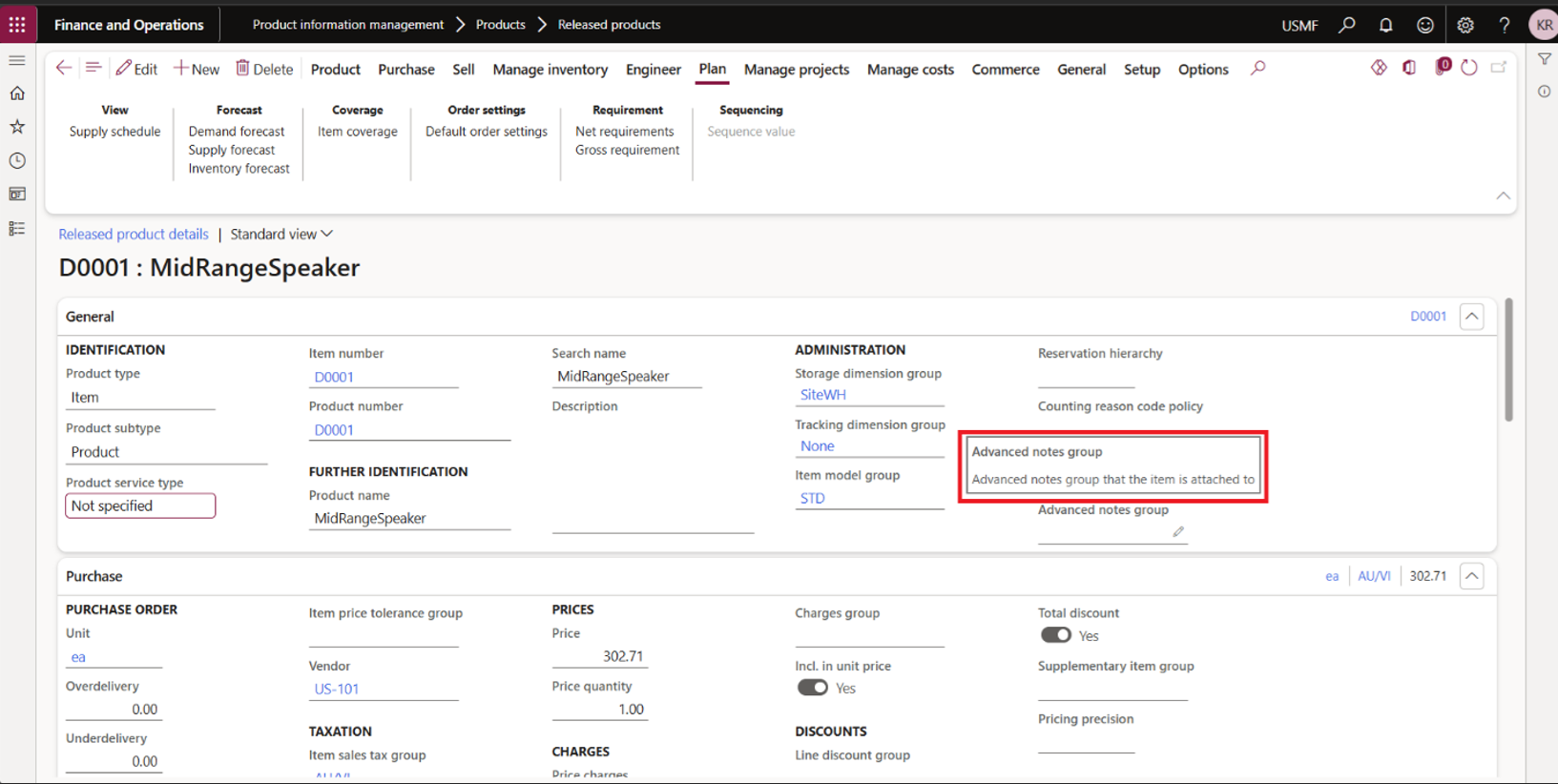
According to the official Microsoft learn documentation, field descriptions are usually available for more complex fields that need additional explanation. Not all pages in the system have field descriptions available, but it is helpful whenever you need it.
So where can you find what pages and which field descriptions are there?
D365 Finance & Supply Chain Management has the Field descriptions page where you can easily view and export field descriptions for any page that you need.
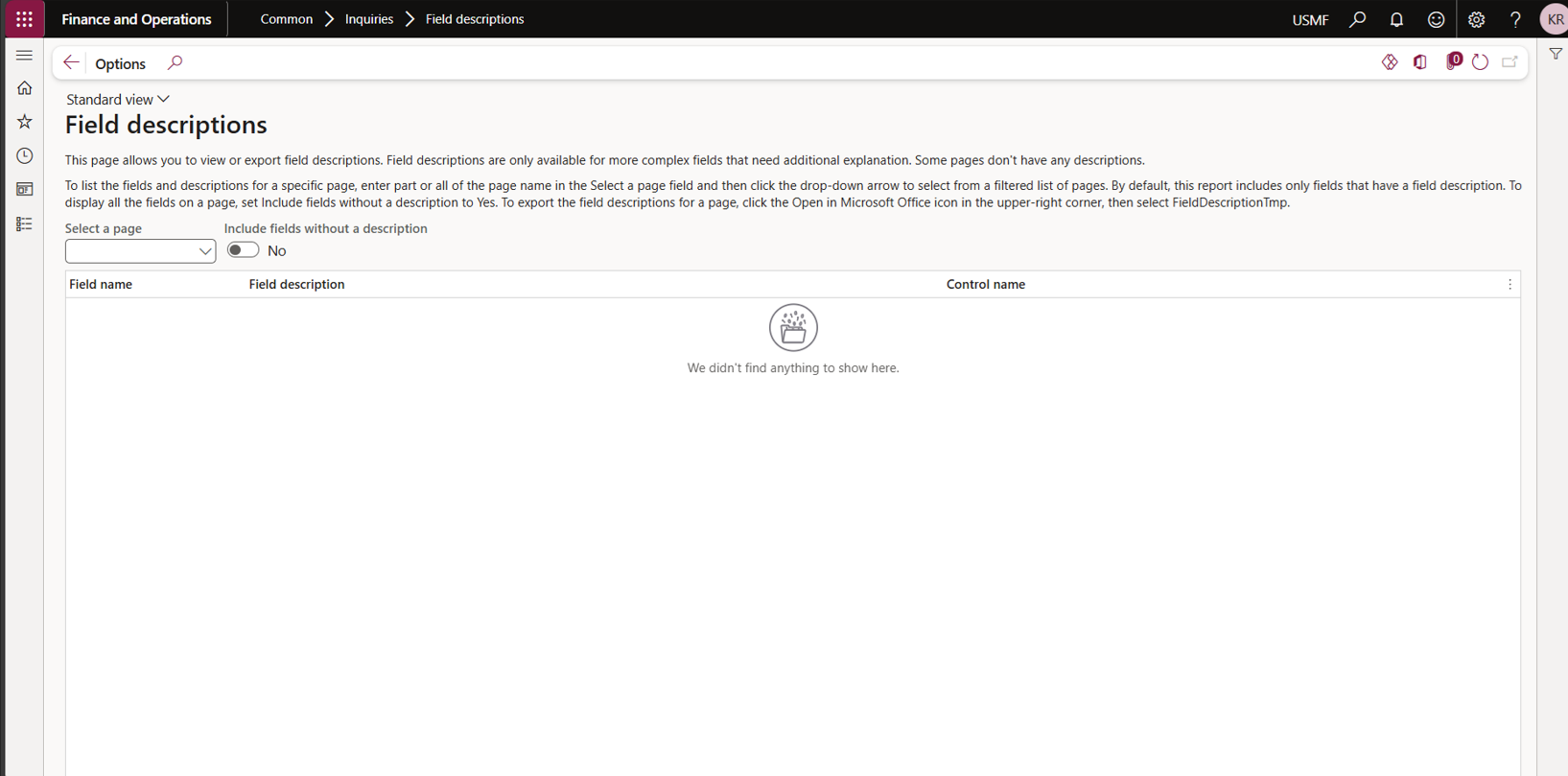
It’s easy to navigate through the page, as there is a block of text that shows you your way around.
You can select a page according to Page name or its Application Object Tree (AOT) name, and toggle if you also want to see which fields have no Field descriptions available. At a time, you can only select one page to view. You also have the option to see which fields have no Field descriptions by using the Include fields without a description toggle.
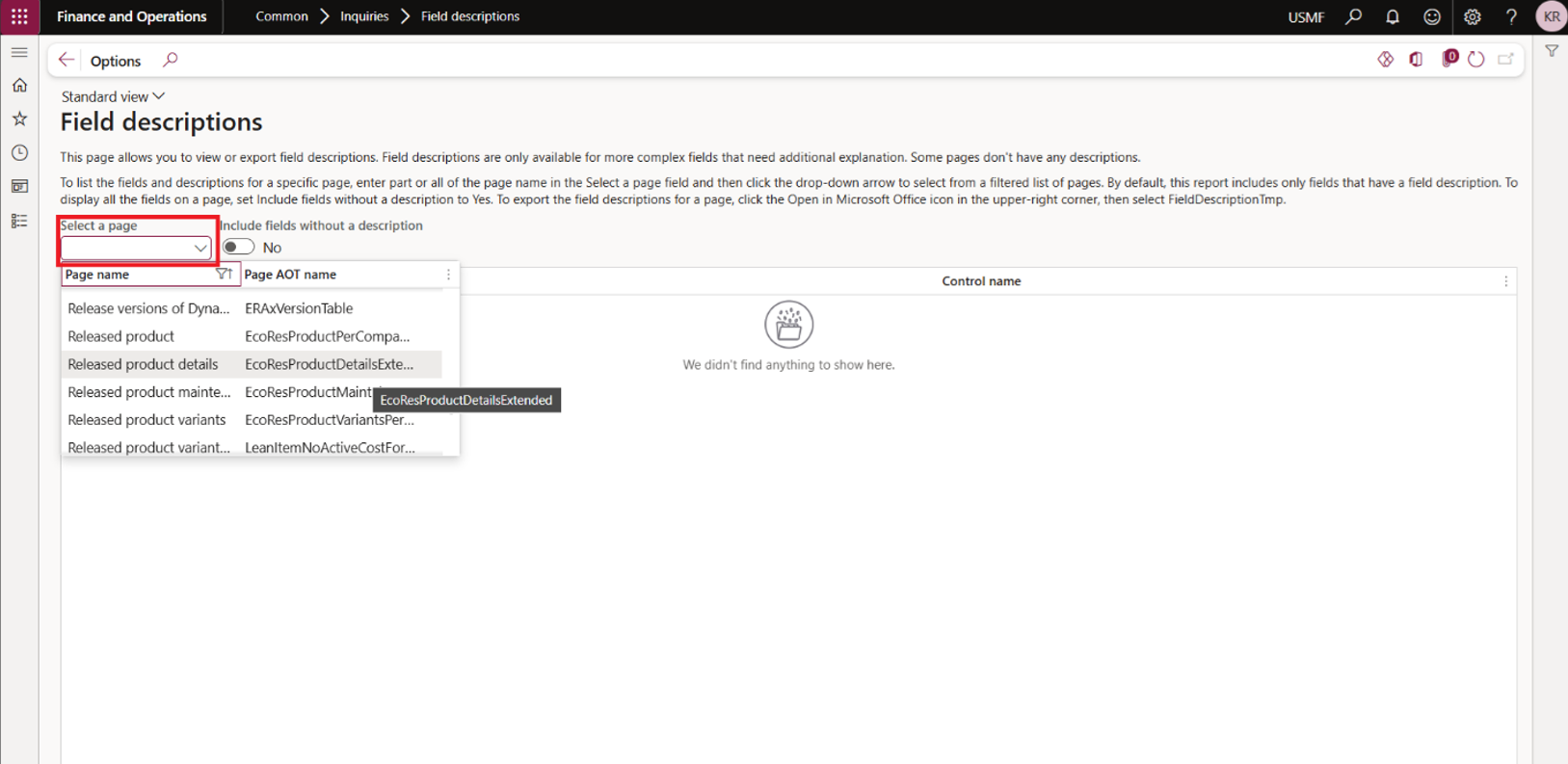
Selecting a page
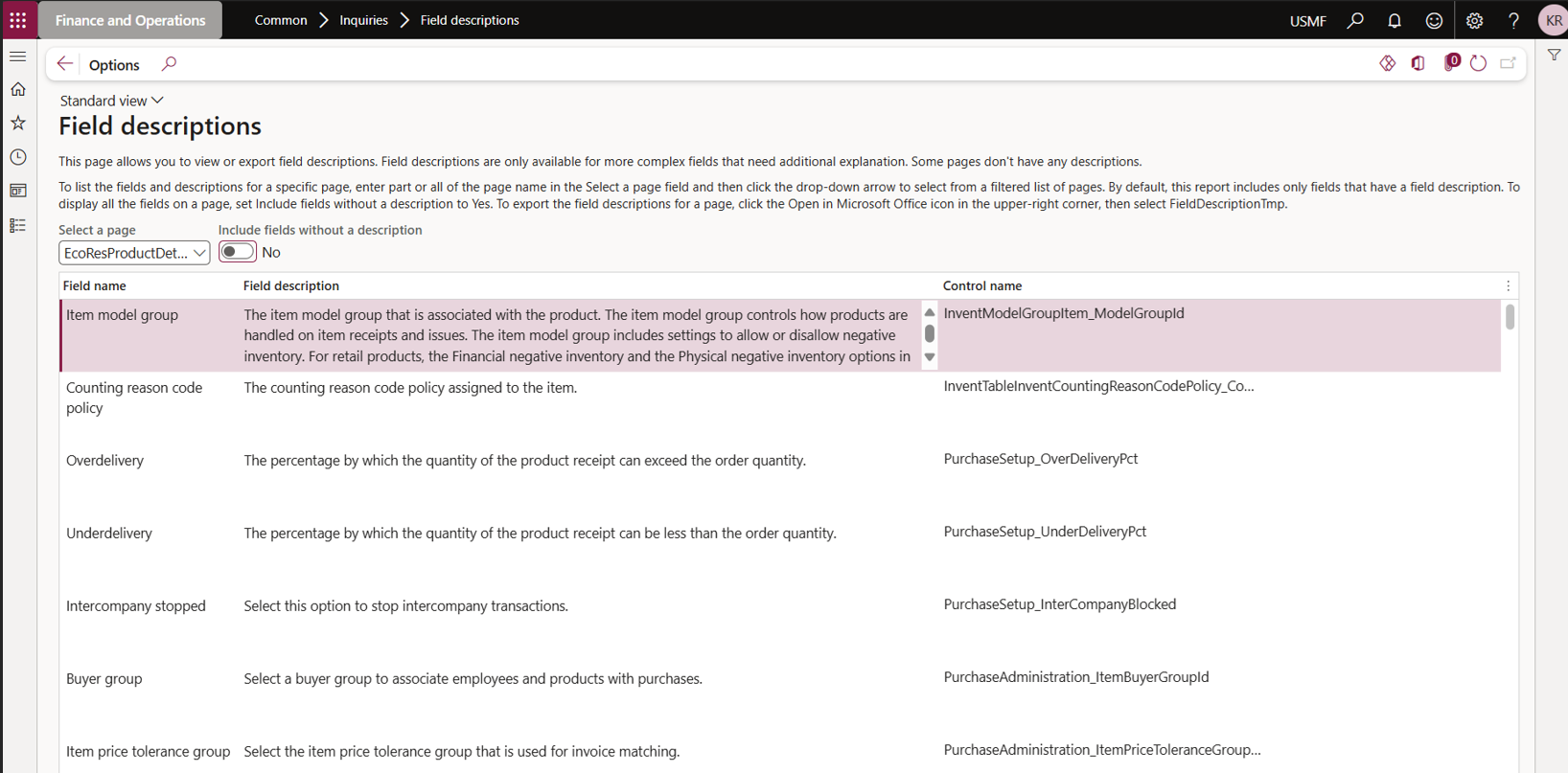
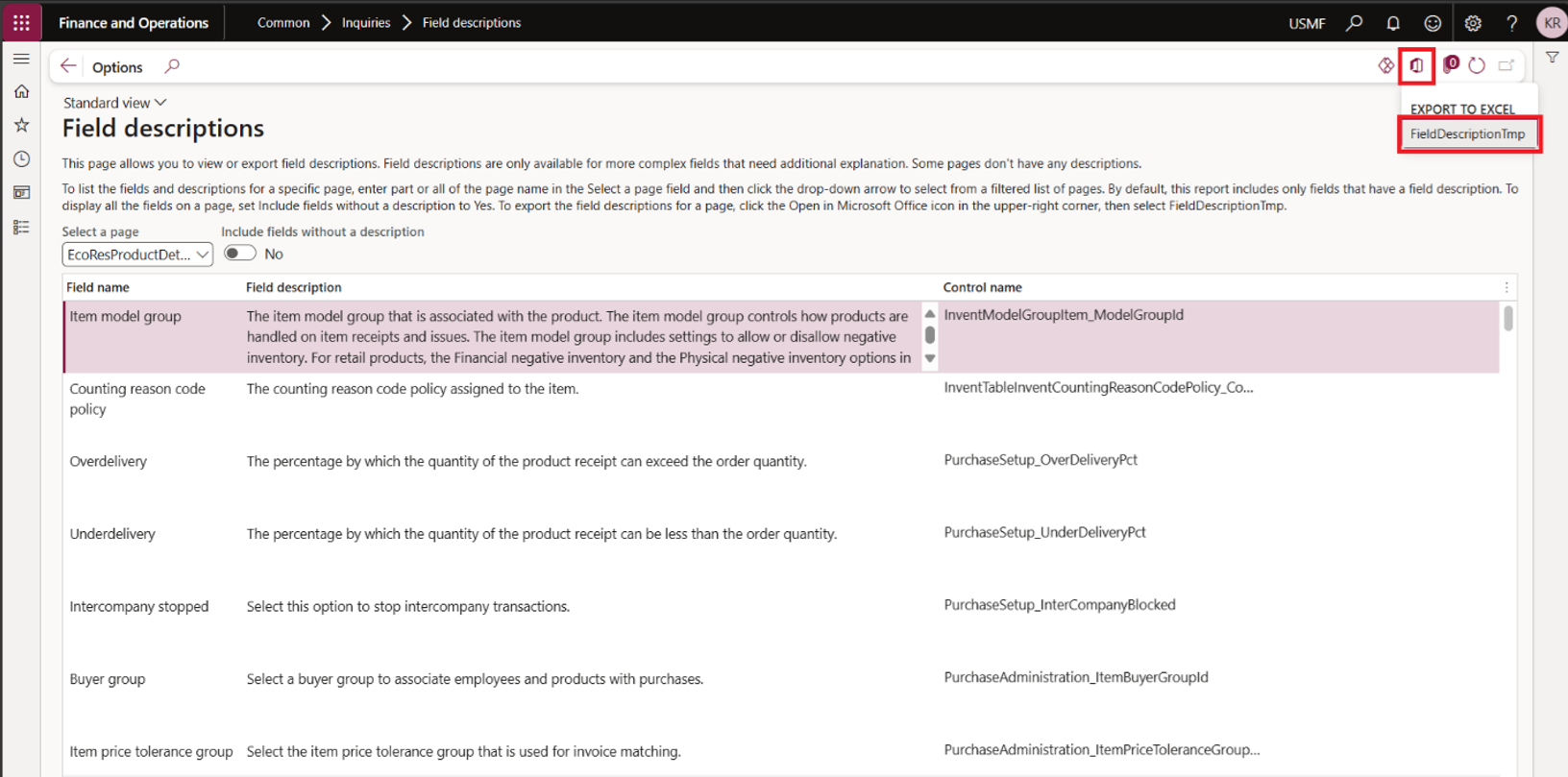
Sample page – Field descriptions
The grid shows the Field name, Field description and its Control name. The Control name is the object name for the field in the selected page. Simply put, it’s a label or tag developers use to identify and refer to a specific field in a form. If you know the control name of a field, you can also use this as an identifier when looking for a field description.
You can export this view to excel by clicking the Microsoft Office icon > Export to Excel FieldDescriptionTmp; then, click Download.
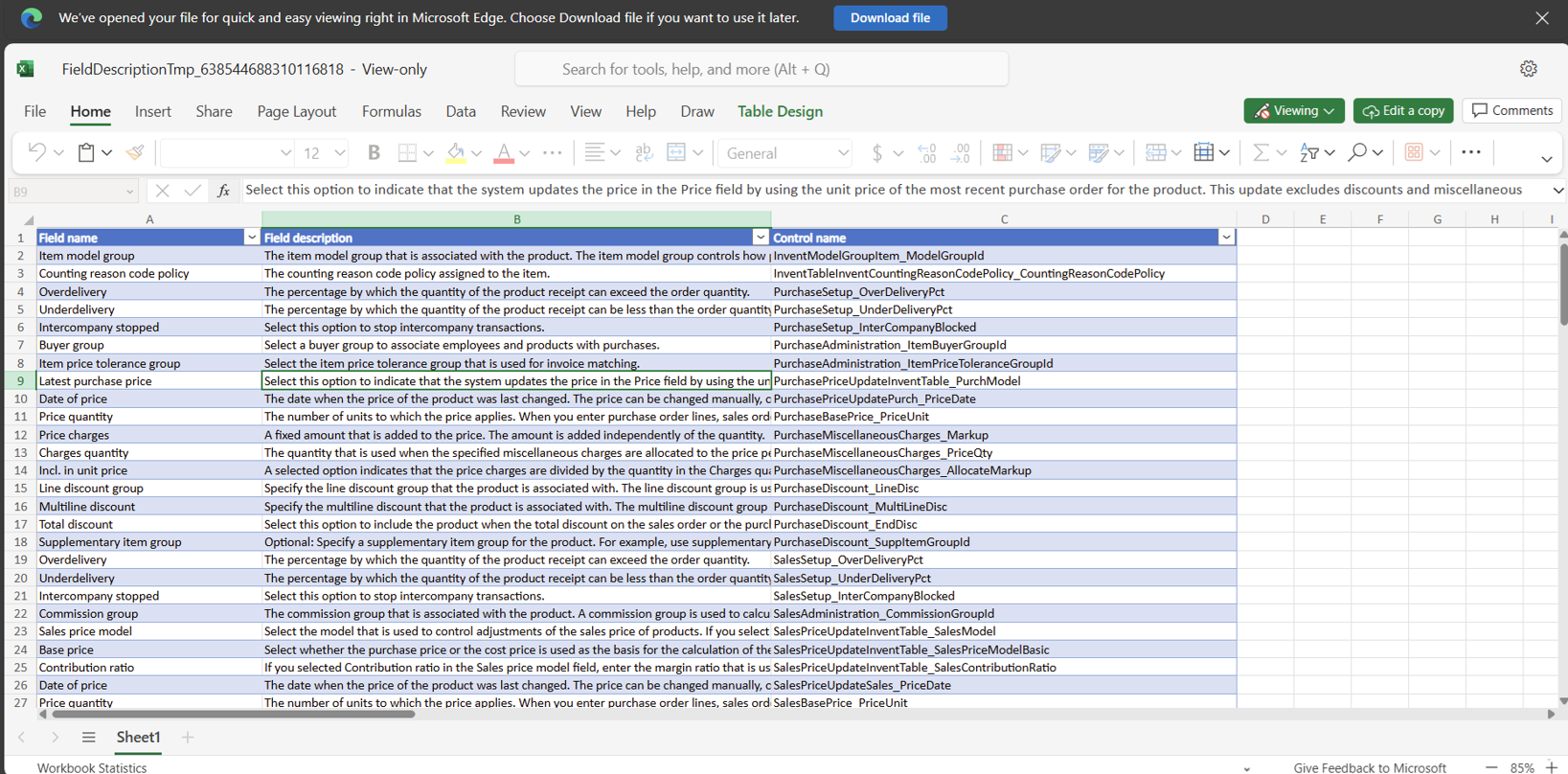
Exported file from the Field descriptions page
This can also help you create brief descriptions in master file templates provided to users that can guide them when they populate templates for data management.
Field descriptions are also translated to preferred user languages available in the system. When I tried to change my language to French, the Field descriptions were also translated to French. This is great when you want to understand more using a language you’re more comfortable with.
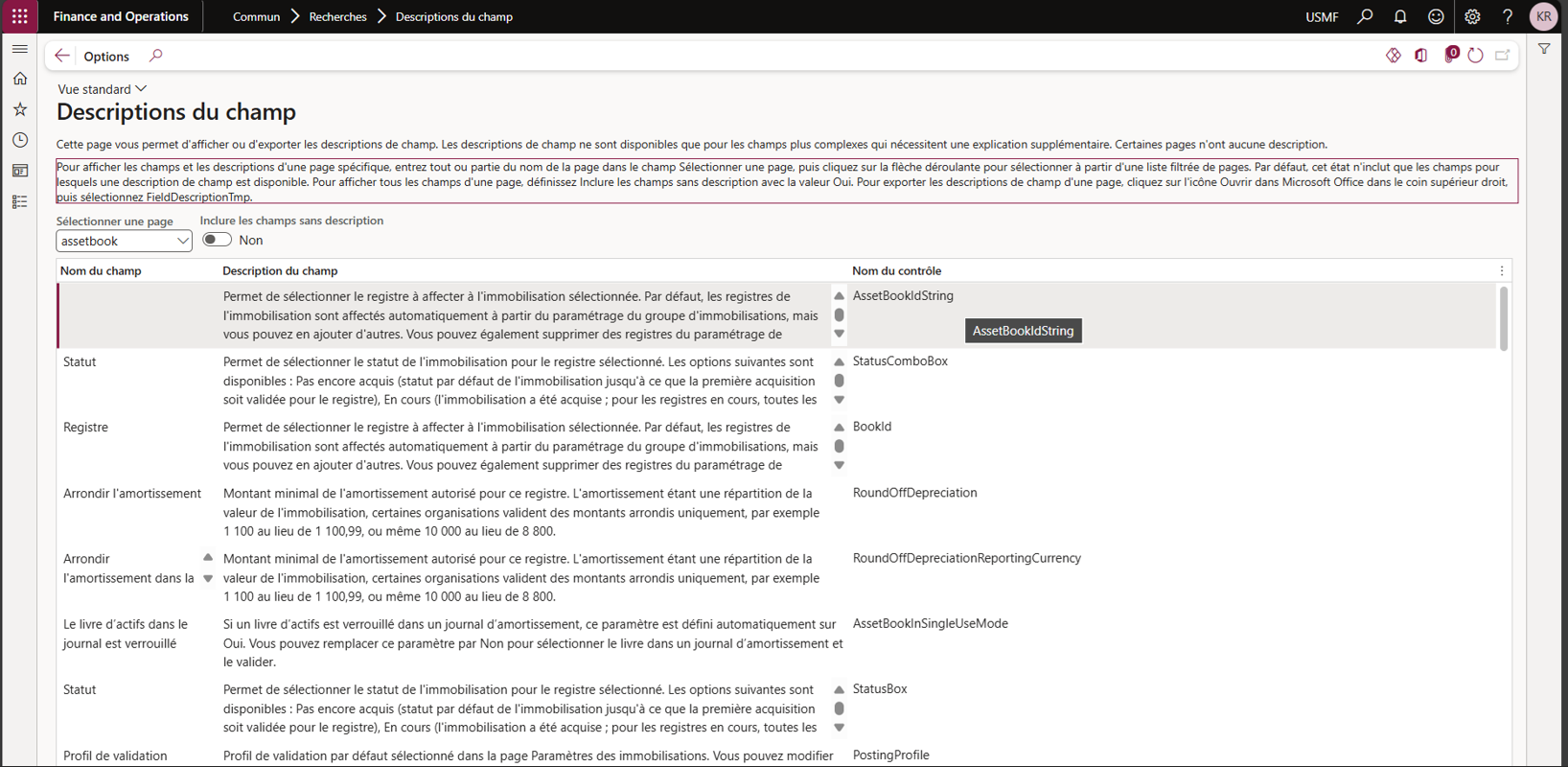
When available, Field descriptions is a great feature that helps us out when we explore the system. It’s also a good learning tool for us when we encounter a new feature or a new field.
Let’s learn more features in the next post. Happy DAXing!
Solutions that solve
We optimize business applications and provide effective software solutions.